

Linking your Etsy store to Transglobal Express
To link your Etsy store your Transglobal Express account, please complete the following steps.
Step 1 – Shop imports
Go to our Shop Import page and select the Etsy link. You’ll need to be logged in to your Transglobal Express account.
Step 2 – Getting Etsy ready
Now switch over to your Etsy account. You’ll first need to register a new app – see Etsy’s guidance: Create a New App - Etsy Developers.
Give your app a name that you’ll remember and a simple description such as “An application to connect with Transglobal Express”.
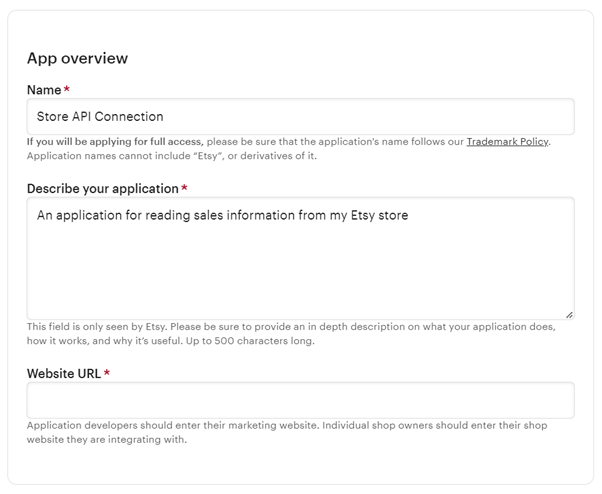
For the app details, the following settings are recommended:
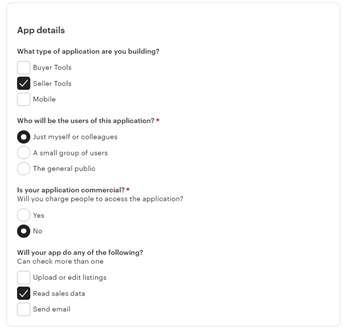
- Application type: Seller Tools
- Users: Just myself or colleagues
- Commercial? No
- App activity: Read sales data
Once you submit your app settings, you’ll be shown your API key details. You’ll need these for Step 3. If you’re not taken to your new app details or need them at a later date, you can find them here.
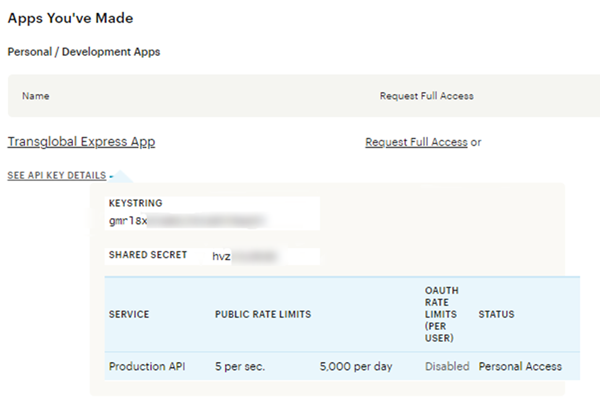
Step 3 – Connecting to your app
Now back to the Transglobal Express website, to the Etsy Shop Import link from Step 1.
First enter the app details created in Step 2 and click Generate Link. Sometimes it can take a few attempts to successfully generate a link - if you are unable to generate a link after multiple attempts, please check that the information you have entered is correct.
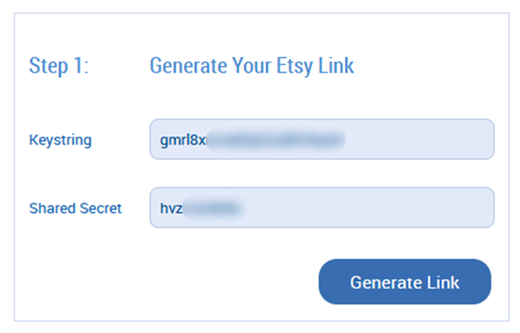
If you have entered your app details correctly, a link will be generated.
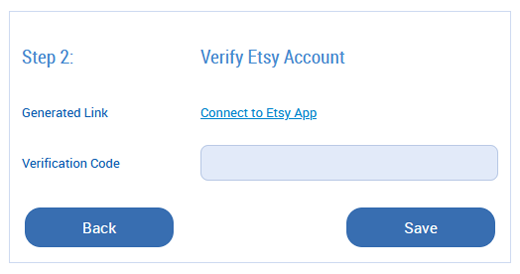
Click Connect to Etsy App to take you back to the Etsy website, where you’ll need to allow access to the app.
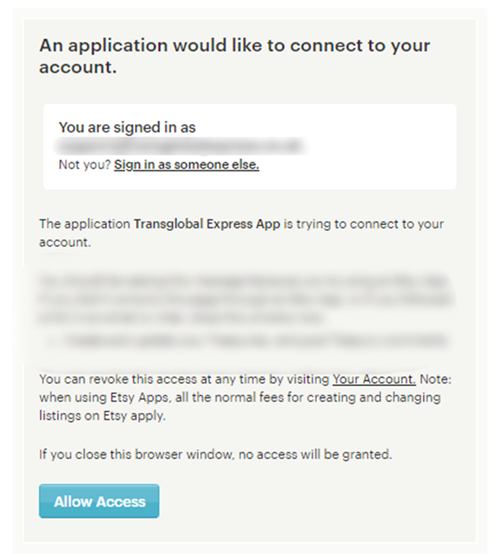
Click Allow Access to generate a verification code. Enter this code on the Transglobal Express page.
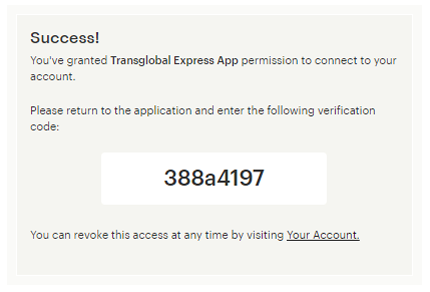
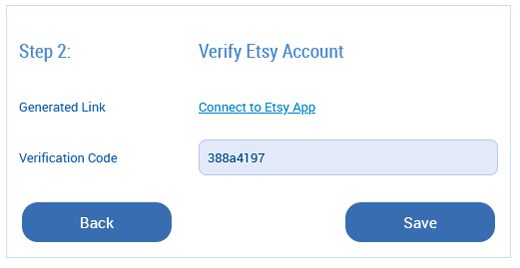
After entering the generated verification code, click Save to complete your Etsy integration. Again, it may take a few attempts to successfully authorise – please double-check your information.
Step 4 – Importing your orders
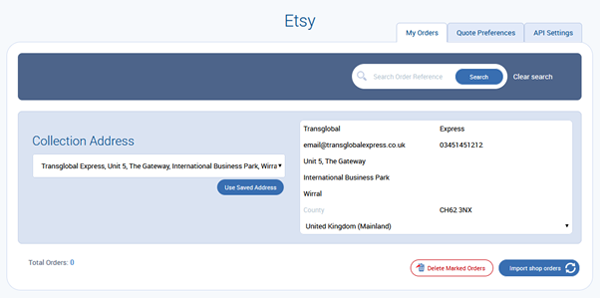
Once authenticated, you’ll be taken back to the Shop Import menu where you’ll need to click on the Etsy link again. You will then be taken to your authenticated Etsy page. There you can import your Etsy orders by clicking Import shop orders under the My Orders tab.




Be the first to know about the latest services